
Following its announcement in December of last year, Webtoon finally rolled out its long-awaited Creator Dashboard update on April 21. The update offers oft-requested features, new additions, and an overdue UI overhaul.
Here’s a deep dive into what’s changed.
Creator Dashboard UI
Perhaps the biggest, most notable change to the Webtoon Creator Dashboard is how the layout has been overhauled for a better user experience.
The old layout had tabs for subscriptions (i.e. series creators are following), the creator dashboard, comments, follows (i.e. who creators are following), account settings, Ad Share (for those enrolled), and the Super Like program (also for those enrolled). The dashboard itself, however, was very bare bones: Creators could see their series and had options to edit their info, view stats, delete, add episodes, or edit published episodes.

The new dashboard is much more streamlined. Subscription and following tabs are gone, as they were largely irrelevant. Webtoon also moved comments, Ad Share, and Super Like tabs to the Creator Dashboard itself, lining them up on the left side of the screen. The first tab displays all of a creator’s series in a list format, as opposed to the previous two-column blurb set of yore, with titles prioritized in order of creation. Older series are on top.
The series edit button is now labelled “Manage Series,” and the episodes tabs for add and edit are now condensed in the “Manage Episodes” tab. The delete button next to each series has also been removed—I assume because creators accidentally clicked it too many times while simply trying to view their stats.
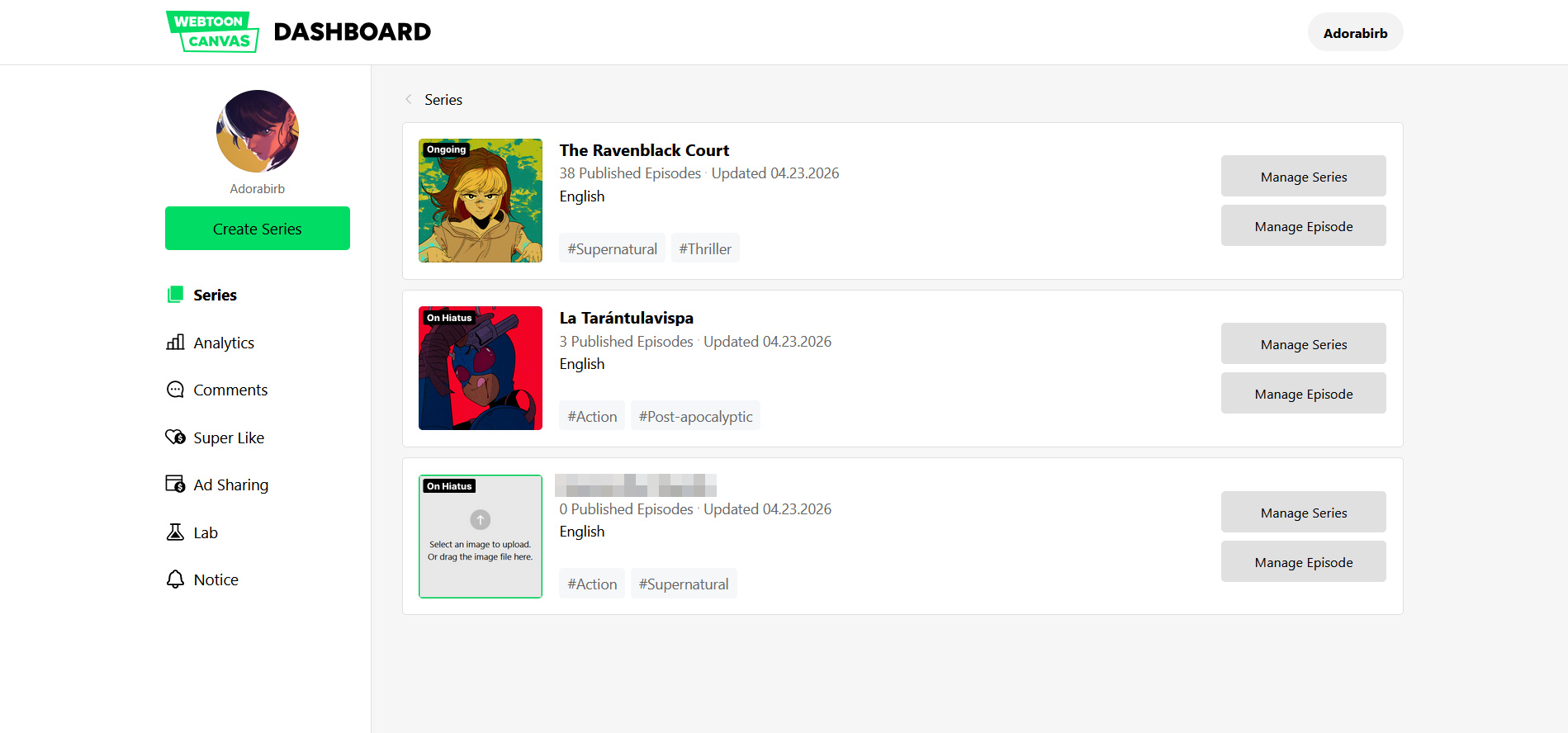
As part of the new Creator Dashboard rollout, many series will have a status on them to become age rated. This is a reminder for creators to update content age ratings for their series. Unlike how the age rating feature worked in its initial rollout, there is now an additional section to the self-assessment: Regional and Cultural sensitivities.
Here, creators answer questions to ensure the Content Rating is appropriate per local and regional laws in the event that a series has culturally sensitive material. Depending on results, a series’ availability may be limited. As of now, there doesn’t seem to be a warning system or explanation in place if a creator’s series won’t be shown to certain parts of the world, but hopefully that will change.
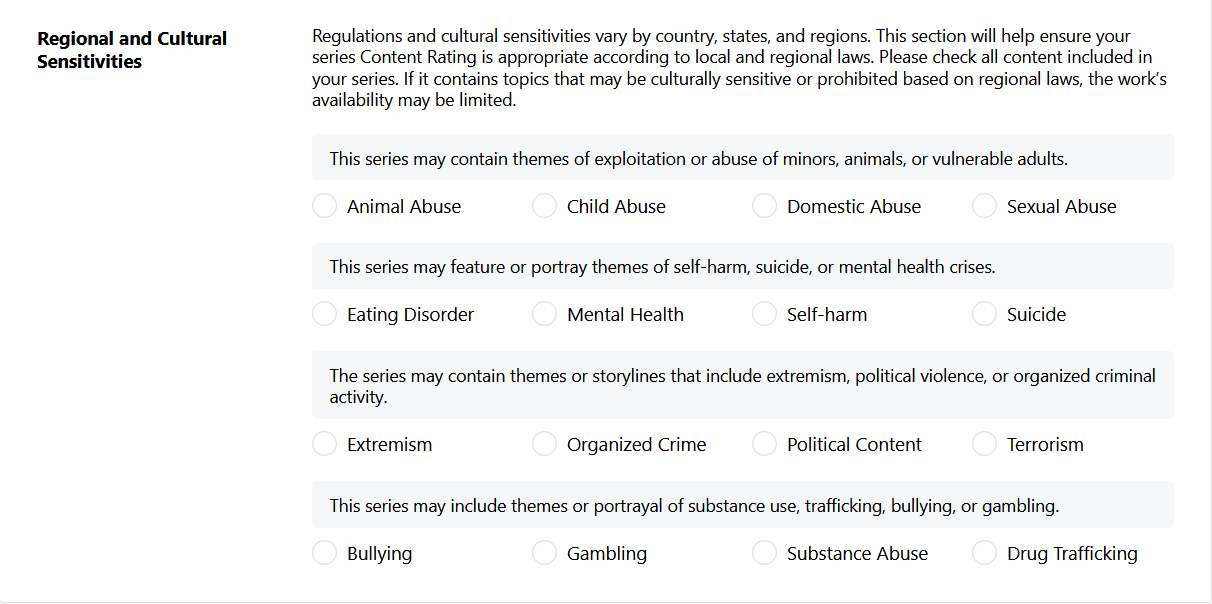
Finally, series stats has been moved to its own tab on the left, now labelled “Analytics,” with comments, Super Likes and Ad Share listed underneath. What grabs my interest is the new “Lab” tab, which we will get to later.
Overall, the Webtoon Creator Dashboard is much more organized, with all the vital features a creator will need to access and understand. It’s a huge improvement on the old UI, and I quite like it.
Webtoon Creator Dashboard Analytics
The Analytics tab offers a more robust take on the old series stats tab, listing all of a creator’s series in a dropdown menu for easy toggling. Daily, weekly, and monthly page views and subscriber counts are available for each series. There is even a graph providing a visual for a series’ increase or decrease in views and subscribers.
Personally, the addition of analytics for the subscriber count is very useful, as the old stat page was more focused on view count in the current month compared to the previous month. The old stats listed the overall likes, subscriber count, and how many updates a series had, with little to no additional information.

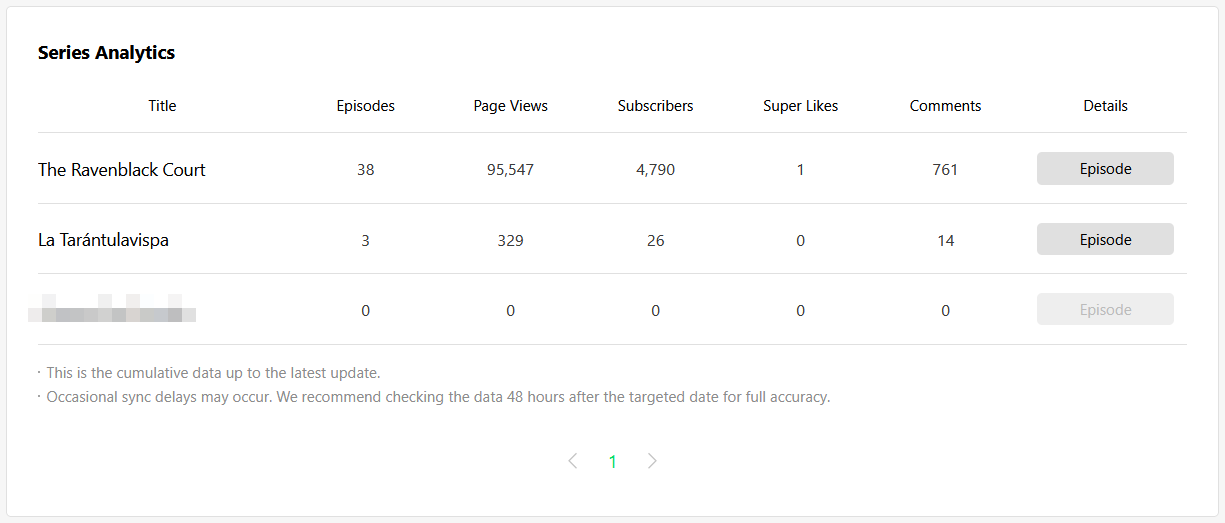
Another neat feature of the new Analytics page is that it lists the overall stats for each series—i.e., how many episodes, page views, subscribers, Super Likes, and comments it has garnered in its lifetime.
The “Details” tab gets even more in-depth, allowing creators to see episodes’ publication dates alongside the total number of Page Views (PVs), Super Likes, and comments for each one. This was super eye-opening for me, and will be useful to creators who are focused on PVs as they are relevant to the Ad Share program.
Outside of Ad Share, this feature also gives creators a chance to see if certain episodes drew in more views or shed them like dead skin. Likewise, if certain episodes have way more comments than others, creators can track what plot points attract the most engagement and potentially give them ideas for future updates.
Overall, I personally find the new analytics page to be a much needed improvement over the old stats page. The extra insights and visual graphs are really useful to creators to see the overall performance of their series, but also see where there have been shifts and changes that could be taken into account.
In the future, I would like to see demographics like reader age and geography, as well as how series are accessed (via app or browser) and discovered (through an external link, a Webtoon recommendation, the app’s front page, etc). These additional stats could be a huge help when it comes to marketing and planning.
Incoming Comments
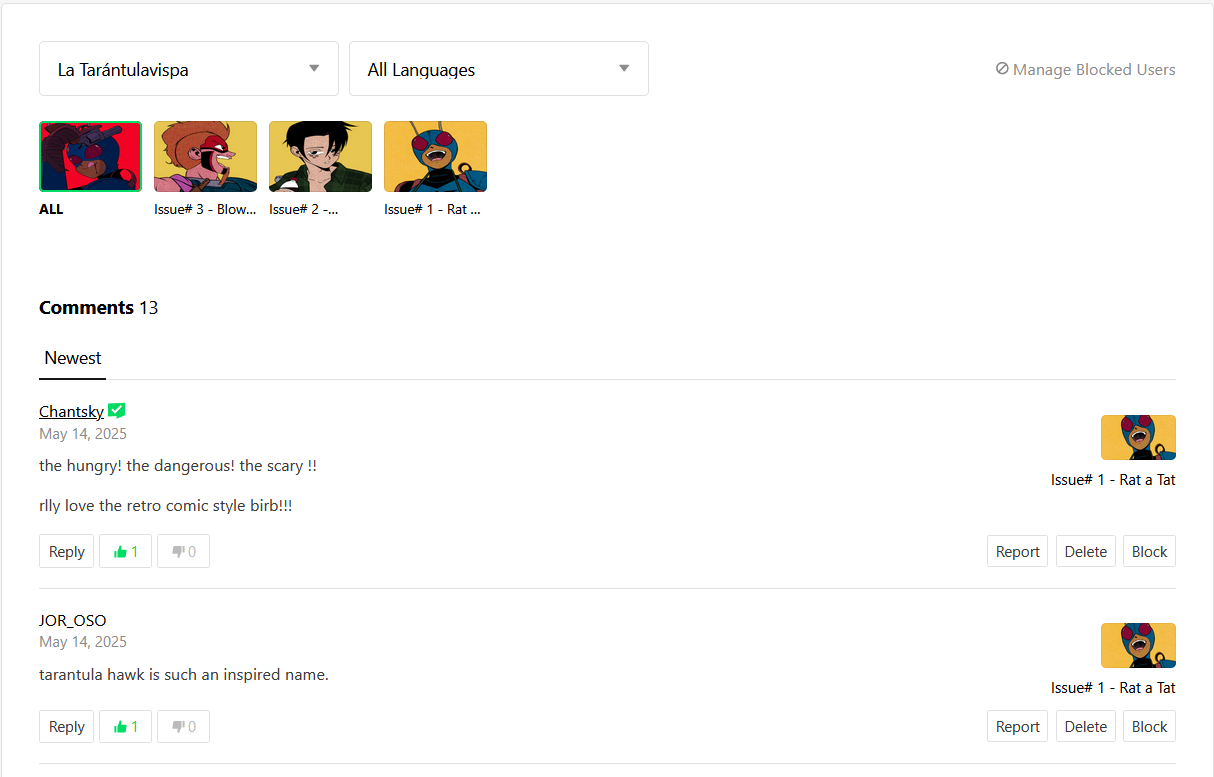
I can’t believe it’s taken this long, but finally, finally, Webtoon’s comment section has been overhauled. I can finally not only see my outgoing comments, but also comments that have been posted on my series. For many years, Webtoon creators (including me) have relied on third-party extensions such as the Webtoon Comment Wizard developed by Freiha (Arindia no Densetsu).
The overhauled comment tab now has each series accessible from a drop-down menu on the top left. From there, creators have the option to see all comments for a series, or comments for a specific episodes. Comments can then be organized by most liked or newest.
From there, creators can choose to like, reply, delete, or block comments, as well as manage blocked users. These updates may seem small, but they mean a lot—until this update, unless I used a third-party extension (which could go down depending on browser compatibility and Webtoon updates), the only way I could even check incoming comments was by scrolling through each episode.
Comment management should have been a feature of the Creator Dashboard years ago, but better late than never. The only nitpick I have is that episode and series thumbnails look squished, which looks a little odd.
The LAB
From what I can tell, the Super Likes tab looks the same as it did before Webtoon released the updated Creator Dashboard. Unfortunately, I do not qualify for Ad Share, so cannot provide much context there.
Let’s move onto the Lab. At time of writing, clicking on this tab doesn’t show much. There’s an illustration of a figure wearing a reflective vest and hard hat, pointing to text that says, “Coming Soon.”
Below the illustration, additional text says, “We’re preparing new ways to help you grow your audience and manage your series. Please stay tuned for updates!”
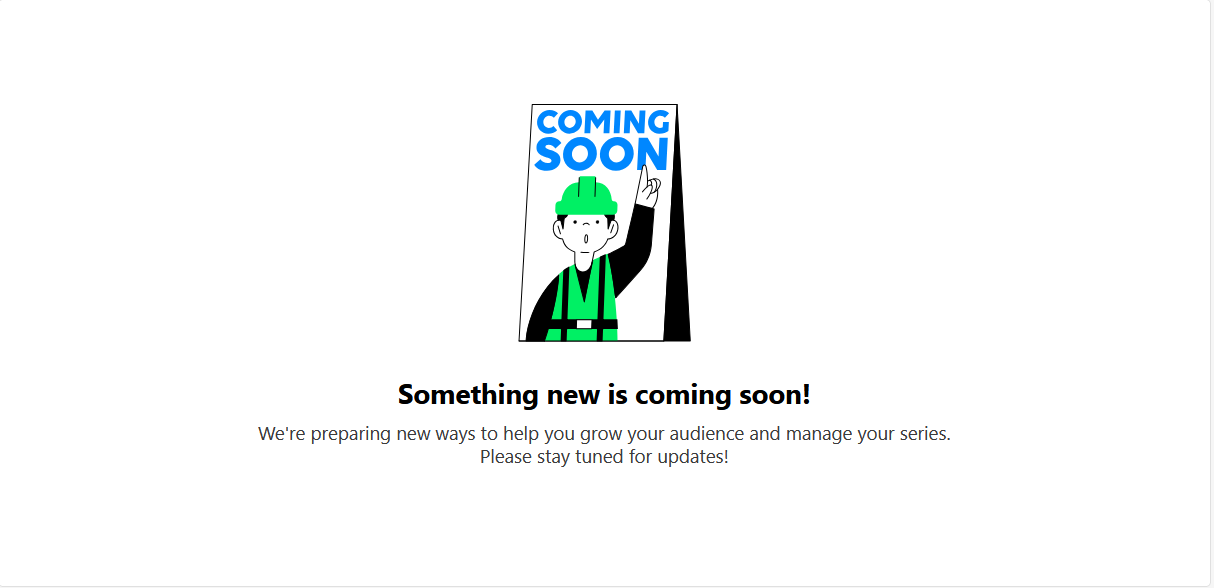
With the title of this tab and the description, one can assume that Webtoon will introduce more experimental features down the line. Unfortunately, it’s likely that at least one new Lab tool is likely to be Webtoon’s AI-powered translator program. Many platforms and publishers are leaning towards AI implementation for translation and/or typsetting, including Globalcomix, Emaqi, and Square Enix. In this case, WEBTOON will allow creators to opt in to the Translation Program to utilize the tools to decide when, where, and how their work is translated, shared, and discovered. But based on what I’ve seen and heard, creators don’t want to touch AI with a ten-foot pole.
Hopefully, there will be more to the Lab than that.
Overall, I have a very positive view of the Webtoon Creator Dashboard update. It introduces a lot of much-needed change and features creators have wanted for years. The new UI and its tools will benefit everyone, from those starting out with their first series to experienced veterans who use statistics to help them fine tune as they work.
What do you think? Are you a creator on Canvas? Does any of this interest you? Let us know down in the comments.

